
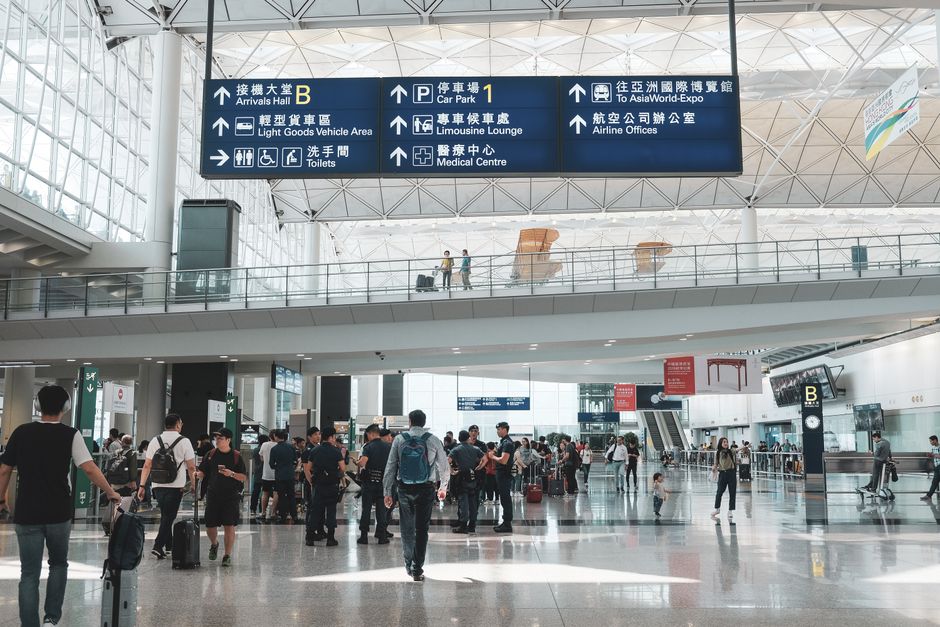
For seamless connectivity upon arrival at Incheon Airport (ICN), a physical SIM card offers the best balance of unlimited 4G/LTE data and a local Korean phone number, costing around ₩30,000-₩35,000 for 5 days. eSIMs provide instant data but typically lack a local number, while Pocket WiFi is ideal for groups but adds another device to manage. All options offer excellent speeds from major carriers like KT, SKT, and LG U+.
You can pre-order all three options online via platforms like Klook or Trazy for convenient pickup at carrier counters in Incheon Airport Terminal 1 or 2 arrival halls. Always check your device compatibility for eSIMs and ensure your phone is unlocked before choosing your preferred **Korea SIM card options** for travel.
Key Takeaways
- Physical SIM: Best for individual travelers needing a Korean phone number for local calls, online verification, or ride-hailing apps (e.g., Kakao T). Pickup is quick at Incheon Airport.
- eSIM: Most convenient for data-only needs, especially if your phone supports it and you prefer not to swap physical cards. Purchase and activate remotely or upon arrival.
- Pocket WiFi: Cost-effective for groups or multiple devices, providing a shared internet connection. Requires carrying and charging an additional device.
- Cost & Speed: All three options offer competitive pricing (starting around ₩27,500 for 5 days of unlimited 4G/LTE) and reliable high-speed internet from Korea’s top three carriers.

Choosing Your Connectivity: eSIM, Physical SIM, or Pocket WiFi?
Navigating connectivity choices upon landing at Incheon International Airport can feel overwhelming, but understanding the pros and cons of each option will simplify your decision. South Korea boasts some of the world’s fastest internet, so regardless of your choice, you’ll experience excellent speeds.
Your primary considerations should be whether you need a local Korean phone number, how many devices you need to connect, and your budget. Each option caters to different travel styles and needs.
Physical SIM Card: The Reliable All-Rounder
A physical SIM card remains a popular choice for many international visitors. It’s straightforward, offers unlimited data, and crucially, provides you with a local Korean phone number (한국 전화번호, Hanguk Jeonhwa Beonho).
This local number is invaluable for various aspects of your trip, from registering for essential apps like KakaoTalk (카카오톡) and Kakao T (카카오 T) for taxis to making reservations or receiving delivery updates from services like Coupang (쿠팡).
Where to Get It & Cost: Incheon Airport Pickup
You can easily purchase physical SIM cards from major carriers like KT, SK Telecom, and LG U+ directly at Incheon Airport. Their counters are conveniently located in the arrival halls (1F) of both Terminal 1 and Terminal 2.
Pre-ordering online via platforms like Klook, Trazy, or KKday is highly recommended. This often secures a better price and guarantees availability, with typical costs ranging from ₩30,000 to ₩35,000 for 5 days of unlimited 4G/LTE data and a Korean number. For longer stays, 10-day or 30-day options are available.
Activation Steps at ICN
After collecting your luggage, proceed to the designated carrier counter (e.g., KT Roaming Center) in the arrival hall. Present your passport and the voucher from your online purchase.
The staff will help you install the SIM card and activate it, usually within minutes. Ensure your phone is unlocked by your home carrier before arriving, as locked phones will not accept a new SIM card.
eSIM: The Digital Nomad’s Delight
eSIMs (embedded SIMs) offer unparalleled convenience, eliminating the need for a physical card swap. If your phone supports eSIM technology, you can activate your data plan by scanning a QR code, often even before you leave your home country or while waiting for your luggage.
This means you can land with instant connectivity, which is perfect for checking Naver Map (네이버 지도) or KakaoMap (카카오맵) immediately for directions to your accommodation.
Availability & Cost: Data-Only Focus
Korean carriers and international providers offer eSIMs for South Korea. While most tourist eSIMs are data-only, some premium options may offer a virtual local number, though this is less common for short-term tourist plans.
Prices are competitive with physical SIMs, starting around ₩27,500 for 5 days of unlimited 4G/LTE data. Providers like KT, SKT, and LG U+ offer eSIMs directly or through resellers like Klook and Trazy.
Activation & Compatibility
Before purchasing, verify that your smartphone is eSIM compatible. Most newer iPhone (XS and later), Samsung Galaxy (S20 and later), and Google Pixel (3 and later) models support eSIMs.
Activation typically involves scanning a QR code provided by email after purchase. Follow the on-screen prompts to add the cellular plan. Ensure you have a stable internet connection (like Incheon Airport’s free Wi-Fi) to download the eSIM profile if activating upon arrival.
Pocket WiFi (Portable Wi-Fi Router): Group Connectivity
Pocket WiFi, also known as a Wi-Fi egg, is a small, portable device that creates a personal Wi-Fi hotspot. It’s an excellent option for families or groups traveling together, as multiple devices (phones, tablets, laptops) can connect to a single unit, sharing the data plan.
This can be more cost-effective than purchasing individual SIMs or eSIMs for everyone.
Pickup & Cost: Daily Rental Rates
Pocket WiFi devices are available for rent from the same major carriers (KT, SKT, LG U+) at their Incheon Airport counters. Similar to SIM cards, pre-booking online is recommended for better rates and guaranteed availability.
Daily rental costs typically range from ₩5,000 to ₩8,000 per day for unlimited 4G/LTE data. For a 5-day trip, this could total ₩25,000 to ₩40,000, plus a deposit that is refunded upon return.
Usage & Considerations
Simply pick up the device, ensure it’s charged, and power it on. Connect your devices using the provided Wi-Fi name and password. The main drawback is carrying an additional device and remembering to charge it daily.
It also doesn’t provide a local Korean phone number, meaning you’ll still rely on internet-based calling apps like KakaoTalk or WhatsApp for communication, and won’t be able to receive local calls or SMS.
Real Speed & Korean Number Comparison
When it comes to speed, all three options leverage Korea’s robust 4G/LTE (and increasingly 5G) networks. You can expect consistently fast and reliable internet connectivity across the country, whether you’re streaming videos, navigating with maps, or video calling.
The choice largely boils down to your need for a local Korean phone number and convenience factors.
| Feature | eSIM | Physical SIM | Pocket WiFi |
|---|---|---|---|
| Korean Phone Number | Rarely (data-only typical) | Yes (included) | No |
| Data Speed | Excellent 4G/LTE (5G available) | Excellent 4G/LTE (5G available) | Excellent 4G/LTE (5G available) |
| Typical 5-Day Cost (Unlimited Data) | ₩27,500 – ₩32,000 | ₩30,000 – ₩35,000 | ₩25,000 – ₩40,000 (rental) |
| Incheon Airport Pickup | QR code download (online) | Yes (carrier counters) | Yes (carrier counters) |
| Device Compatibility | eSIM-compatible phones only | Unlocked phones | Any Wi-Fi enabled device |
| Best For | Data-only, instant connectivity | Local number, individual use | Groups, multiple devices |
Insider Tips for Maximizing Your Connectivity in Korea
To ensure a smooth start to your trip, consider these practical tips. Pre-booking your chosen connectivity option online is always recommended, as it often saves money and reduces wait times at the airport, especially during peak travel seasons.
Keep screenshots or printed copies of your booking confirmations and QR codes handy, as airport Wi-Fi can sometimes be spotty or require a quick sign-up process before you’ve activated your primary data plan.
Device Unlocking and Compatibility Checks
Before you even pack your bags, confirm that your smartphone is unlocked by your home carrier. A locked phone will not recognize a new physical SIM card. For eSIMs, double-check your phone’s compatibility list; not all models support eSIM functionality.
You can usually find this information in your phone’s settings under ‘About Phone’ or by contacting your device manufacturer. This crucial step prevents last-minute frustration at Incheon Airport.
Using Public Wi-Fi as a Backup
South Korea offers extensive free public Wi-Fi (무료 와이파이, Muryo Waipai) in many areas, including subway stations, cafes, and major tourist spots. While not a substitute for your primary data plan, it can be a useful backup for quick checks or to save your mobile data.
Look for networks like ‘Public WiFi Free’ or ‘Seoul_Free_WiFi’. However, be mindful of security when using public networks for sensitive transactions.
Emergency and Tourist Helplines
If you opt for an eSIM or Pocket WiFi without a local number, remember that you can still call emergency services (119 for medical/fire, 112 for police) from any phone. For general travel assistance, the 1330 Korea Travel Helpline (available in English) is an invaluable resource, often accessible via internet calls if you have data.
Having a local number from a physical SIM, however, makes direct communication with local services or individuals significantly easier.
Frequently Asked Questions
Do I need a Korean phone number for KakaoTalk or Kakao T?
While you can use KakaoTalk with your home country’s number, a Korean phone number (from a physical SIM) greatly simplifies verification for services like Kakao T (taxi app) or Korean food delivery apps, as many require local SMS verification. For basic communication, your existing KakaoTalk account will function with data.
Can I pick up my pre-ordered SIM or Pocket WiFi 24/7 at Incheon Airport?
Most major carrier counters (KT, SKT, LG U+) at Incheon Airport operate from early morning until late evening (e.g., 6:00 AM to 10:00 PM). However, 24/7 pickup is generally not available. Always check the specific operating hours of your chosen provider’s counter at your terminal when pre-ordering.
Are 5G SIM cards or eSIMs available for tourists in Korea?
Yes, 5G options are increasingly available for both physical SIMs and eSIMs from major Korean carriers. While they typically come at a slightly higher premium than 4G/LTE plans, Korea’s 5G network offers blistering speeds in urban areas. Ensure your device is 5G compatible to take full advantage.
What if my phone is locked to my home carrier?
If your phone is locked, it will not accept a new physical SIM card from a Korean carrier. You must contact your home carrier to request an unlock before your trip. For locked phones, an eSIM (if supported by your device) or a Pocket WiFi are your only viable options for connectivity in Korea.
To report grammatical errors, typos, or request factual corrections, please contact us at [email protected].